NetMirror App
Stream Unlimited Movies & Shows Ad-Free
Enjoy fast HD streaming and quick downloads without any limits.
Verified & Secure
User Rating
Downloads
Latest Version
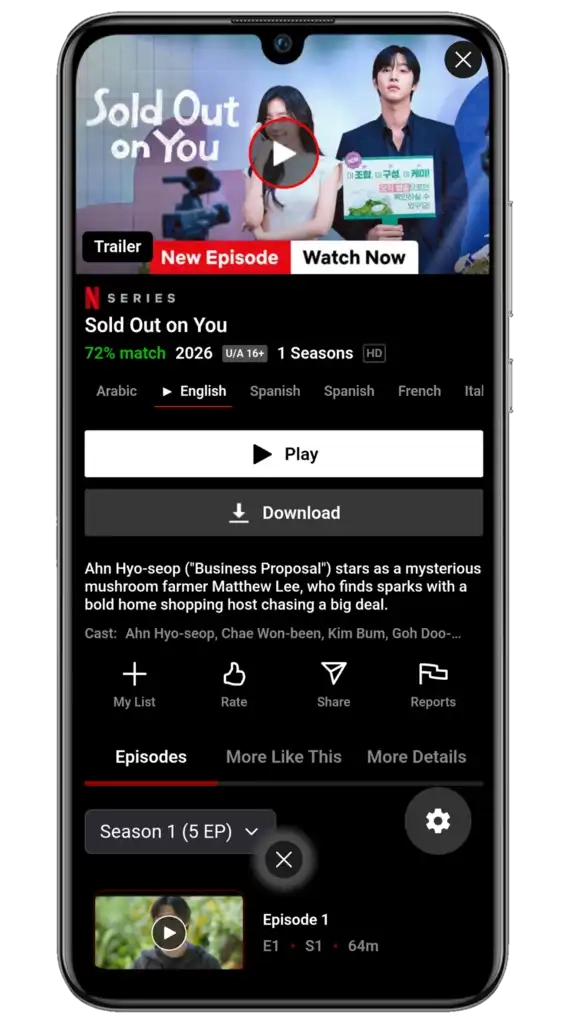
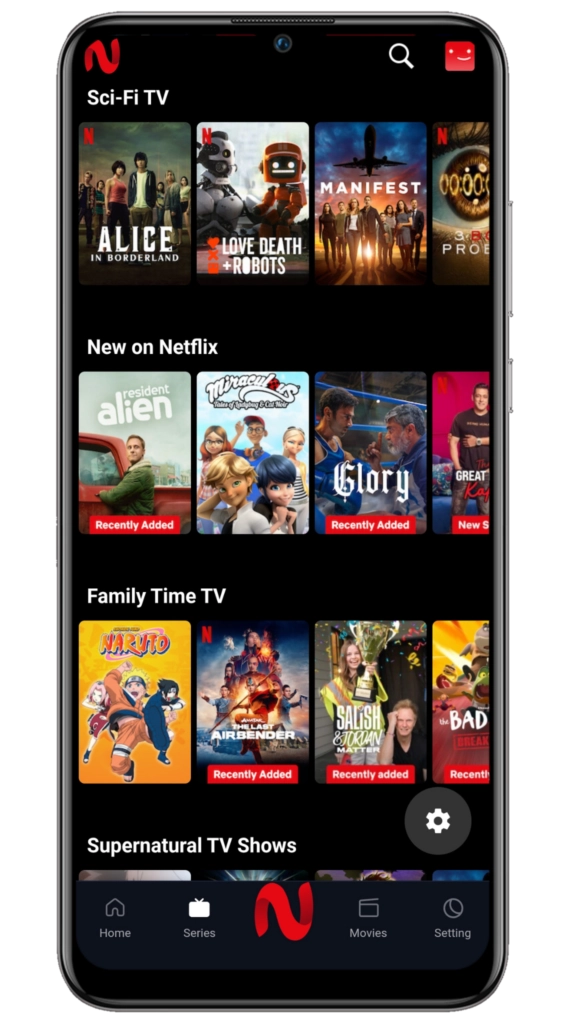

NetMirror
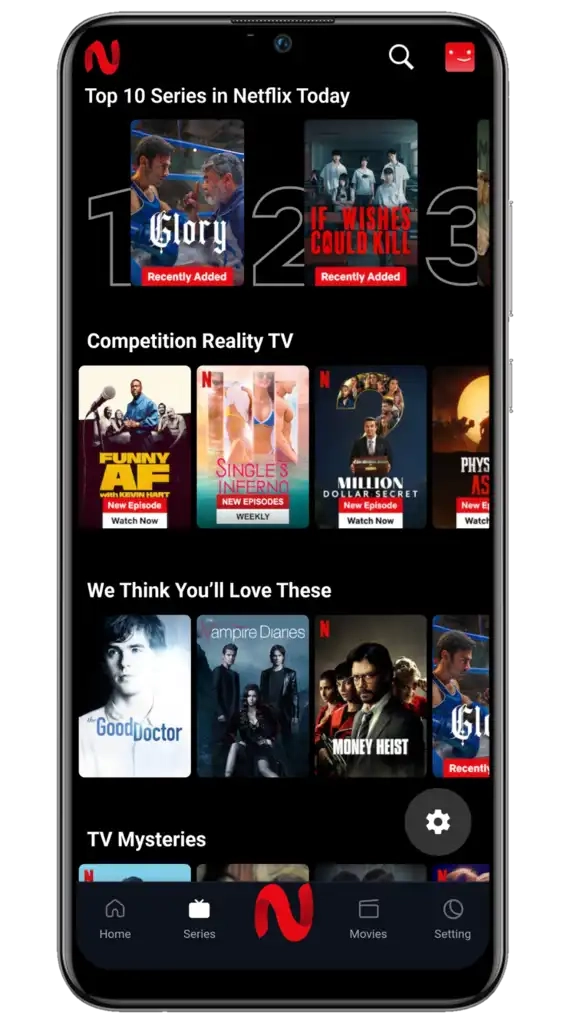
NetMirror turns your phone into a private theater, packed with thousands of movies and shows pulled from dozens of major platforms in one place. Content greets you instantly, all completely free, with no subscription forms and no login screens required anywhere. Genres range from action-packed blockbusters to quiet indie dramas, covering every mood imaginable throughout the day.
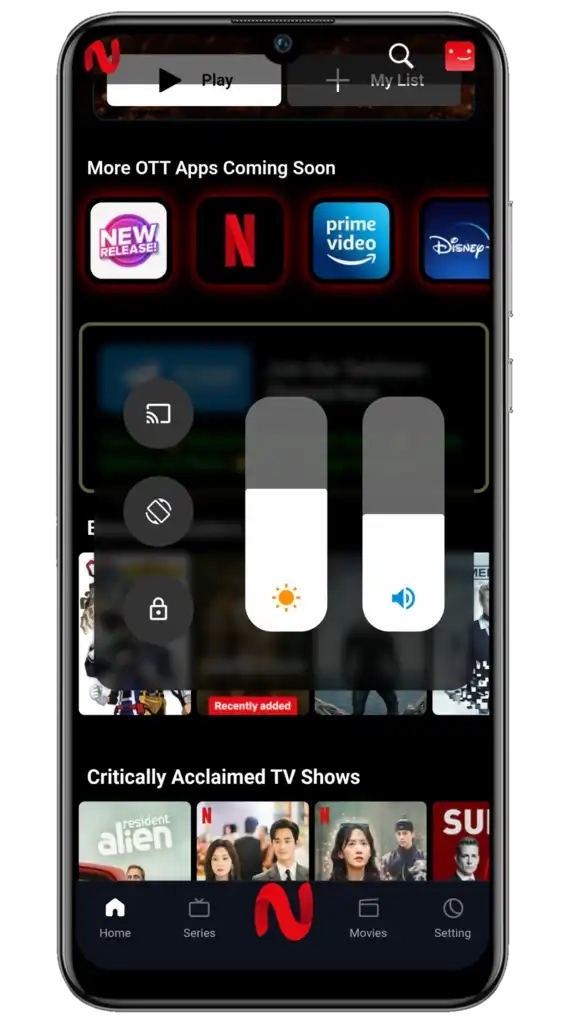
This multi-platform hub, built around NetMirror’s simple design, saves you from juggling several apps just to find something worth watching. Search functions stay easy, helping you locate exactly what you want within seconds. Playback reaches Full HD and even 4K on supported devices, keeping picture quality sharp during long movie nights.
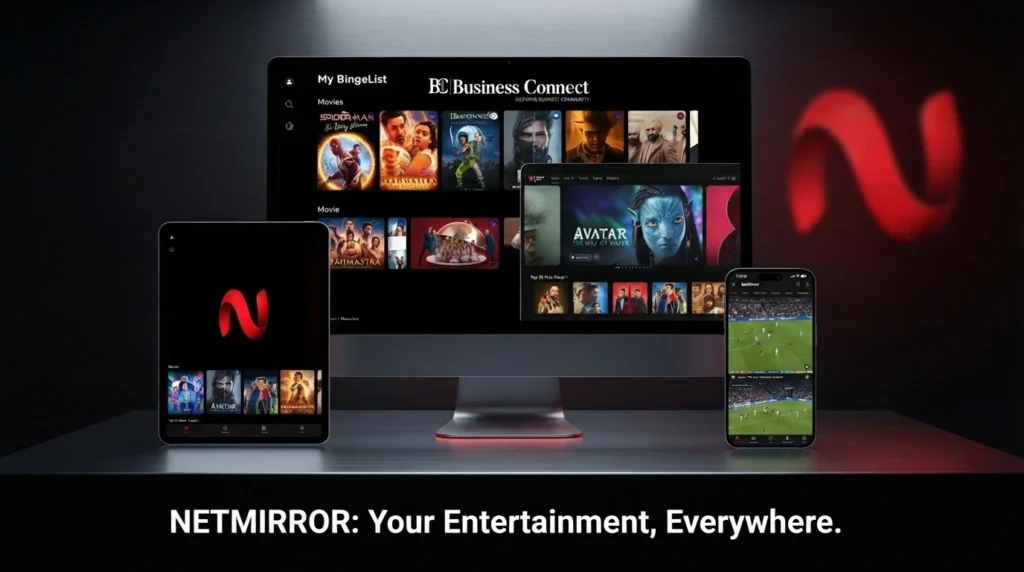
Smart TVs, Fire Stick, and Chromecast all support installation, not just phones, giving NetMirror flexibility across different screens. The library updates often, adding fresh releases soon after they drop elsewhere. Clean interface design keeps navigation comfortable, so casual viewers and binge-watchers alike find something worth watching daily.
What is NetMirror APK?
A free Android application, NetMirror APK brings together content from dozens of major streaming platforms into one clean, unified interface. Independent developers built it outside the official Play Store, distributing it instead as a downloadable APK file that anyone can install manually within minutes on most modern Android smartphones.
This approach lets the app bypass typical store restrictions while offering premium-style access without any cost involved. Installation requires manually enabling permissions on your device beforehand. NetMirror runs smoothly on phones, tablets, and even smart TVs through compatible APK builds, with regular updates keeping the library consistently fresh.
Why Is NetMirror So Popular?
Money plays a huge role in why viewers keep choosing this app over paid alternatives. Juggling five or six subscriptions gets expensive fast, and NetMirror solves that by combining everything into one free package. Word of mouth also drives its growth, since satisfied users often recommend it to friends and family.
Regular content updates keep the NetMirror library feeling current, matching new releases almost as fast as official platforms. Smooth playback and a familiar interface remove any learning curve for first-time users. This combination of savings, simplicity, and constant fresh content explains its growing fan base.
What Features Does NetMirror Offer?
Ultra HD Streaming
Fine details pop on screen, from skin textures to distant background scenery. Net Mirror APK supports playback up to 4K on compatible devices and networks. Colors stay accurate, motion stays sharp, and nothing looks washed out or pixelated. Big-screen setups benefit the most, turning ordinary living rooms into genuine home theaters instantly.
Fast Streaming Servers
Buffering wheels rarely appear once a video starts loading. Netmirror Download routes traffic through multiple servers, picking whichever connects fastest for your location. Long episodes load within seconds, even during peak evening hours when networks get crowded. Weak Wi-Fi signals still manage decent playback speeds. NetMirror keeps interruptions rare across most viewing sessions.
Multi-Device Support
Watching doesn’t stop at your phone screen anymore. Smart TVs, Fire Stick, Chromecast, and tablets all run this app just as easily as Android phones do. Switch from a small commute screen to a full living room display without losing your place. One app, Net Mirror New APK Download, now covers nearly every household device you own.
Offline Video Download
Weak signal areas no longer ruin movie plans. Net Mirror TV APK lets you save episodes and films directly to your device beforehand. Flights, road trips, or spotty internet zones become far less frustrating with content already stored locally. Pick your preferred quality before downloading to balance storage space and clarity. Entertainment stays ready wherever you travel, all thanks to NetMirror.
Dual Audio Subtitles
Language barriers rarely get in the way of enjoying a good story anymore. Switch between original and dubbed audio tracks depending on personal preference or mood. Subtitles come available in multiple languages, helping viewers follow along clearly. Netmirror New Version makes international content genuinely accessible for wider audiences worldwide, breaking down barriers that once limited entertainment choices.
Ad Free Experience
Random commercials never interrupt a good scene here. Skipping the pre-roll and mid-roll breaks common on free platforms is exactly what NetMirror Install APK Android does best. Focus stays entirely on the story, without pausing every few minutes for promotions. This uninterrupted flow makes binge sessions genuinely enjoyable, and it’s why so many viewers trust NetMirror over other free options.
Smart Content Search
Net Mirror Download predicts what you’re typing before you even finish the word. Suggestions appear instantly, pulling relevant titles from a massive combined library. Filters narrow results by genre, release year, or language with a single tap. Finding that one specific show takes seconds instead of endless scrolling through menus.
Real-Time Mirroring
Phone screens sync instantly to bigger displays without any noticeable delay. Net Mirror connects both devices over the same Wi-Fi network, keeping playback perfectly synchronized. Every tap, scroll, or pause reflects immediately on the larger screen. Gaming, browsing, or streaming all feel natural this way. NetMirror turns any TV into an extension of your phone.
Adaptive Bitrate Quality
Video resolution shifts automatically based on your current connection strength, and Net Mirror APK Download handles this without asking. Strong Wi-Fi triggers higher clarity, while weaker signals drop quality slightly to avoid constant pauses. Nobody manually adjusts settings mid-episode. This smooth transition keeps playback steady, preventing frustrating freezes during unstable network conditions throughout the day.
Floating PIP Mode
Switching apps mid-episode used to mean pausing everything, but video keeps playing in a small floating window through NetMirror APK Download instead. Replying to a message or checking something else no longer interrupts the show, since the window stays on top, resizable and draggable anywhere on screen. This convenience on NetMirror turns multitasking into something genuinely possible without missing a single scene.
Smart TV Cast
Send your favorite titles to a bigger screen in seconds with NetMirror APK Download iOS. Pick the television from the device list and hit cast. Movies fill the living room instantly. Gather family, dim the lights, and enjoy sharp, vivid picture quality. Your phone stays free for calls, so nobody misses anything important.
Daily Auto Sync
NetMirror APK Download for Android Phone refreshes its library every day without any effort from you. New releases appear on their own, so you never hunt for updates. Open the app in the morning and fresh episodes are already waiting. Your watchlist stays current, and progress carries over between sessions. With NetMirror, staying up to date takes zero clicks.
Battery Saver Engine
Long binge sessions no longer drain your phone. NetMirror ios apk latest version trims background activity and adjusts power use while you stream. Your device stays cooler, and charging breaks become rare. Finish a full season on a single charge. Head out for the day without hunting for a plug or carrying a bulky power bank.
Custom Watchlist History
Every title you save or finish gets remembered. Build your own lists for weekends, road trips, or family nights. Scroll back anytime to find that thriller you loved last month. With NetMirror APK Download Android, old picks vanish after one swipe. Everything stays organized, so choosing tonight’s movie takes seconds. Your taste, your rules, and NetMirror keeps up.
Built-in Switcher
Jump between profiles, languages, or video sources without leaving the player. One tap on the switcher and your choice loads right away. Share a device with family? Everyone gets a personal space in seconds. Audio and subtitle changes happen mid-scene, so you never lose the plot. NetMirror App Download keeps every switch quick and clean.
How To Download the NetMirror App?
Downloading the app takes only a few minutes. Start by checking your phone’s storage, since the file needs some free space. Next, open your browser and search for the official download page. Avoid random links, because they can carry unwanted files. Once you find a trusted source, tap the download button and wait for the file to finish. Most people prefer the APK route for Android devices. Many users say NetMirror Official APK is easy to set up, even for beginners. After the download completes, your phone may ask for permission to install apps from outside the Play Store. Allow it, and the rest is simple. Finally, keep your device connected to a stable internet network during setup.
Installation Guide
- Open your phone’s Settings and go to Security.
- Turn on “Install from unknown sources” for your browser.
- Visit the official download page and tap the download button.
- Wait until the APK file finishes downloading.
- Open the file from your Downloads folder.
- Tap Install and wait a few seconds.
- Launch the app and grant the permissions it asks for.
- Sign in or create a profile, then start streaming.
How to Use NetMirror?
Using the app is simple, even if you are new to streaming. The layout is clean, and every option sits where you expect it. NetMirror.apk works on phones, tablets, and smart TVs, so you can pick the screen you like best. First, make sure your device has a steady internet connection. A weak signal can cause buffering and spoil the fun. Next, keep the app updated to enjoy the latest fixes and features. Once everything is ready, you can start watching in just a few taps. Many beginners finish the whole process easily in under two minutes. This guide walks you through each step in order. Follow along, and you will be watching your first title before your tea gets cold. With NetMirror, the learning curve stays short and friendly.
Open NetMirror on Your Device
Start by finding the app icon on your home screen. Tap it once to launch. The first screen may take a few seconds to load, so stay patient. Here is what you will see when Netmirr opens:
- A home page with trending titles
- A menu bar for movies, series, and more
- A profile icon in the top corner
Pick your profile if the app asks. After that, you are ready to explore the full library.
Search for Your Favorite Content
Use the search bar at the top of the screen. Type a movie, show, or actor name. Results appear as you type, which saves time. Net Mirror 2.5 APK also lets you filter by genre or year. Try these quick tips:
- Check your spelling if nothing shows up
- Use short terms for better results
- Browse categories when you feel undecided
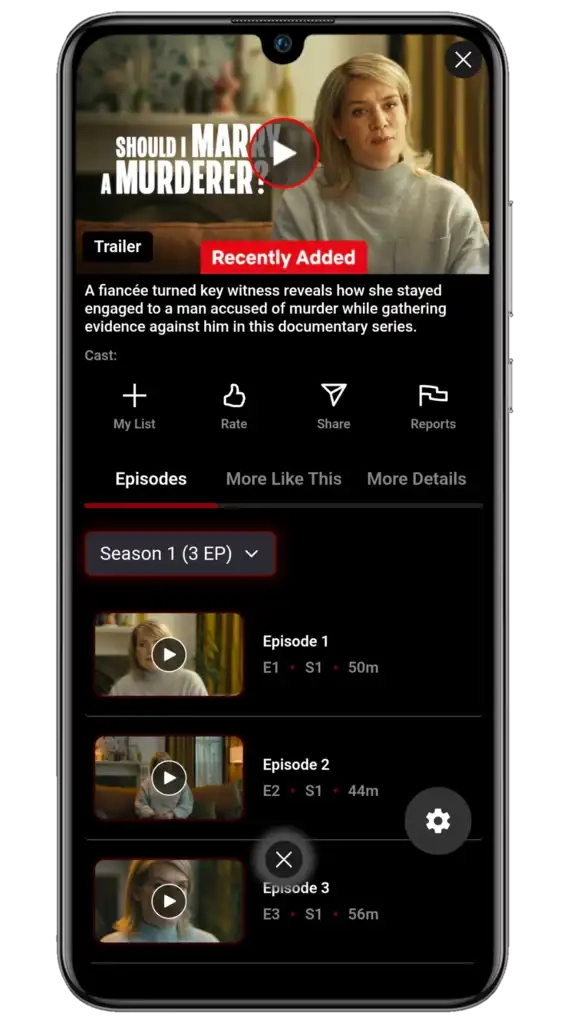
Tap any poster to see its full details.
Start Streaming
Select a title and press the play button. The video starts within seconds. Adjust settings while you watch:
- Pick video quality that matches your internet speed
- Turn on subtitles or change the audio language
- Use the arrow keys or swipe to skip forward and back
Finally, sit back, relax, and enjoy the show. Netmirror APK Latest saves your progress, so you can continue later from the exact same spot on any device.
Pros And Cons
Pros
- Clean interface: The layout is simple, so beginners find everything quickly.
- Huge content library: Movies, series, and shows across many genres sit in one place.
- Free access: Most content can be watched without a paid subscription.
- Multi-device support: It works on phones, tablets, and smart TVs.
- Smart TV casting: You can send videos to a bigger screen in seconds.
- Floating PIP mode: A small player window lets you multitask while watching.
- Daily auto sync: New releases appear on their own, with no manual updates.
- Battery saver engine: Long sessions drain less power and keep the phone cooler.
- Custom watchlists: Saved titles and viewing history stay organized.
- Built-in switcher: Profiles, subtitles, and audio languages change mid-scene.
Cons
- Not on official stores: Users must install the APK manually, which takes extra steps.
- Security risks: Unofficial download links can carry unwanted or harmful files.
- Legal concerns: Some content may not be licensed in every country.
- Ads and pop-ups: Occasional ads can interrupt the viewing experience.
- Needs stable internet: Weak connections cause buffering and lower video quality.
- Inconsistent availability: Some titles or servers may go down without notice.
Best NetMirror Alternatives
PikaShow
Live TV, movies, and sports all stream in one place. Cricket fans especially love its match coverage. The layout is simple, and downloads work smoothly. Choose your quality, tap play, and enjoy. For anyone who wants variety without a subscription fee, it is a strong alternative to Netmirror New APK Download.
Picasso
Movie lovers get a clean, fast experience here. Browse new releases, classic hits, and popular series without any signup. The app loads quickly, even on older phones. HD streams stay sharp, and subtitles are easy to switch on. If Netmirror APK Download 2026 feels limited, this alternative deserves a spot on your device.
Cineby
Watching on a browser is easy here. Open the site, search for a title, and press play. Nothing needs installing, so your storage stays free. Trending movies and shows load fast in crisp quality. Subtitle controls sit within easy thumb reach. For a Netmirror Mod APK alternative without downloads, this option is handy.
Cinema HD
Picture quality is the big draw here. Streams run in full HD, and buffering stays low. Real-Debrid and Trakt support add extra power for regular viewers. The menu feels tidy, so finding a film takes seconds. Even Netmirror Download in Android APK users may switch after seeing how sharp the visuals look.
MovieBox
Travelers who find Netmirror Download APK too dependent on Wi-Fi should try this one. Download a film at home, then watch it on the bus without using data. The catalog covers Hollywood, Bollywood, and Asian dramas. Subtitles come in many languages, and playback stays smooth. Offline viewing is where this app shines.
| Feature | NetMirror | PikaShow | Picasso | Cineby | Cinema HD | MovieBox |
| Free Access | ✅ | ✅ | ✅ | ✅ | ✅ | ✅ |
| Clean Interface | ✅ | ❌ | ✅ | ✅ | ✅ | ❌ |
| Floating PIP Mode | ✅ | ❌ | ❌ | ❌ | ❌ | ✅ |
| Smart TV Cast | ✅ | ✅ | ❌ | ❌ | ✅ | ❌ |
| Daily Auto Sync | ✅ | ❌ | ❌ | ✅ | ❌ | ✅ |
| Battery Saver Engine | ✅ | ❌ | ❌ | ❌ | ❌ | ❌ |
| Custom Watchlist History | ✅ | ❌ | ❌ | ❌ | ✅ | ✅ |
| Built-In Switcher | ✅ | ❌ | ✅ | ❌ | ❌ | ✅ |
Conclusion
NetMirror gives viewers a simple way to enjoy movies and shows on any screen. It offers a clean layout, a large library, and handy tools like floating playback and smart TV casting. Daily updates keep fresh titles coming, while the battery saver helps long sessions last.
However, the app is not on official stores, so download it only from trusted sources. Also, check the content rules in your country before you stream. Keep your internet stable for the best quality. If NetMirror does not suit you, several good alternatives are available. Choose what fits your needs, and enjoy every watch.